
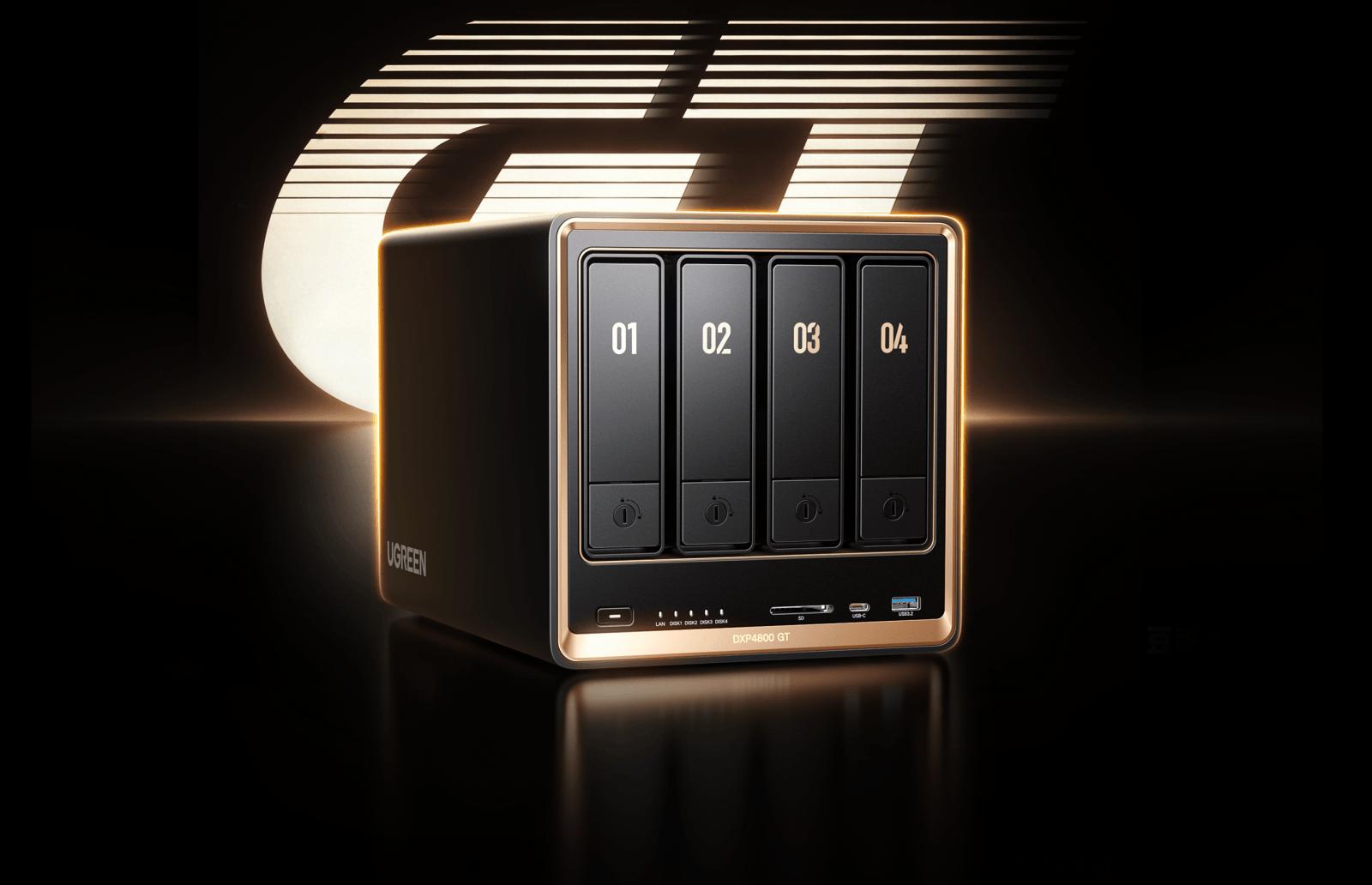
As cloud storage subscriptions become increasingly common, having direct control over personal data is starting to matter more than ever. Whether you’re managing large media libraries, backing up important documents, or working across multiple computers, relying entirely on third-party cloud services isn’t always the most practical or affordable solution. Network-attached storage (NAS) offers an alternative, allowing you to centralize your files on hardware you own while retaining the convenience of accessing them remotely.
That’s where the UGREEN NASync DXP4800 GT comes in. Powered by an AMD Ryzen Embedded R2514 processor, this four-bay NAS combines dual 10GbE networking, expandable memory, and support for multiple storage configurations. With up to 144TB of advertised raw storage capacity, it’s designed for users who need more than a basic network drive without investing in expensive enterprise hardware.
Having received the DXP4800 GT from UGREEN for testing and review at SauceStudios, I was interested in seeing how well its hardware and software would hold up in everyday use. While its specifications are impressive for the price, what mattered more to me was whether it could handle my daily workload without requiring complicated configurations or constant maintenance and whether this is for an average everyday consumer or those who own a business or do media related content.
After spending time with the DXP4800 GT, I found it surprisingly straightforward to use. From managing programming projects and storing local AI model files to accessing my media library remotely, it has made keeping everything in one place considerably more convenient. However, there’s more to a good NAS than storage capacity and network speeds, and the DXP4800 GT has a few limitations worth considering before making the investment.
Why Local Storage Still Matters
Cloud storage services such as Google Drive, OneDrive, and Dropbox have made storing and sharing files incredibly convenient. However, those conveniences come with recurring expenses, storage limitations, and a degree of dependence on the companies hosting your data.
As someone who regularly works with large files, programming projects, and locally stored language models, I can see why owning a NAS is becoming increasingly appealing.
A NAS essentially functions as a dedicated storage server connected to your home or office network. Rather than keeping files scattered across multiple computers or uploading everything to a cloud provider, you can manage them from one central location.
The biggest advantage is control. Your files remain on storage hardware you manage, and you decide which users and devices can access them. You’re also not paying a monthly subscription simply to expand your local storage capacity.
That doesn’t mean a NAS is completely free of ongoing expenses. Hard drives eventually need replacing, electricity costs money, and maintaining reliable backups remains your responsibility. Still, for users with growing storage requirements, the long-term economics can be attractive.
Privacy is another important consideration, especially as more cloud services introduce AI-powered features that process or analyze uploaded content. Keeping data locally reduces your reliance on external storage providers and gives you greater control over how those files are handled.
Of course, owning the hardware doesn’t automatically guarantee security. You still need to manage access permissions, install security updates, and configure remote connectivity properly.
There’s also an important distinction between storage redundancy and backup protection.
A RAID configuration can help keep your data available if a drive fails, depending on which RAID level you choose. However, RAID won’t necessarily protect against accidental deletion, ransomware, theft, or physical damage to the NAS itself.
I recommend following the traditional 3-2-1 backup strategy, which means keeping three copies of important data, using two different storage media, and maintaining at least one copy off-site.
Google Drive’s free 15GB tier, shared across Google Drive, Gmail, and Google Photos, can be useful for important documents, configuration files, and small projects. Larger photo and video libraries will likely require an external backup drive stored elsewhere or a paid off-site storage solution.
Hardware, Design, and Getting Started
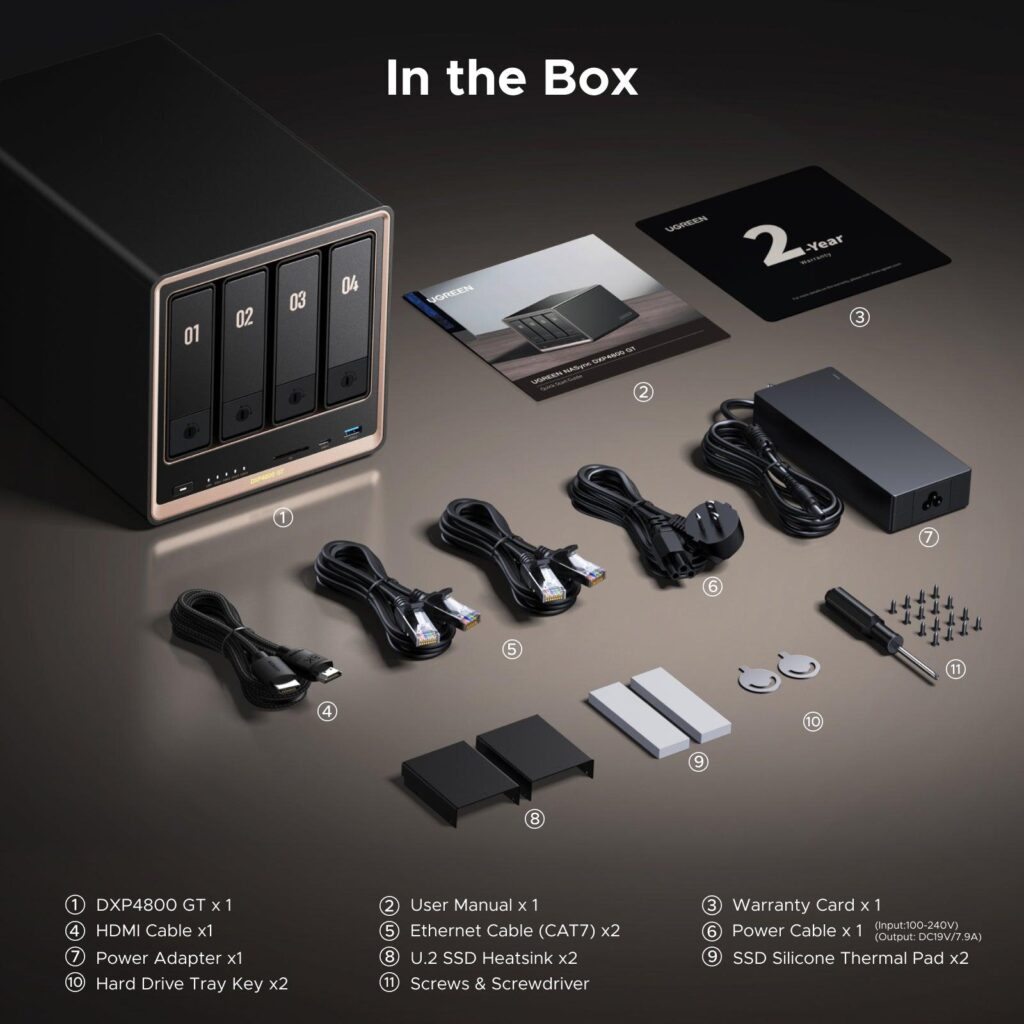
UGREEN has positioned the DXP4800 GT as a performance-focused NAS for enthusiasts, creators, and smaller businesses. It’s also a notable addition to the company’s lineup because it introduces an AMD Ryzen Embedded processor to the DXP family.
The hardware is particularly interesting because UGREEN has prioritized network connectivity and storage flexibility rather than simply installing the fastest processor available.
Here’s what you’re getting:
| Specification | UGREEN NASync DXP4800 GT |
|---|---|
| Processor | AMD Ryzen Embedded R2514 |
| CPU configuration | 4 cores, 8 threads, up to 3.7GHz |
| Graphics | Integrated AMD Radeon Vega |
| Memory | 8GB DDR4, expandable to 64GB |
| ECC support | Yes, with compatible replacement memory |
| Drive bays | 4 SATA bays, up to 32TB each |
| Additional storage | 2 M.2 NVMe slots, up to 8TB each |
| U.2 support | Bays 1 and 2, replacing SATA drives |
| Maximum capacity | 144TB raw |
| Network connectivity | 2 x 10GbE RJ45 |
| USB ports | 1 USB-C 10Gbps, 2 USB-A 10Gbps, 2 USB-A 2.0 |
| Other connectivity | SD 3.0 card reader, HDMI 4K/60Hz |
| Operating system | UGOS Pro on 64GB eMMC |
| RAID support | Basic, JBOD, RAID 0, 1, 5, 6, 10 |
| Storage drives included | No |
The advertised 144TB capacity is calculated using four 32TB SATA drives and two 8TB M.2 SSDs. Actual usable capacity will depend on the drives installed, formatting, and RAID configuration.
One interesting addition is U.2 NVMe support in the first two drive bays. Unlike the separate M.2 slots, U.2 SSDs occupy one of the four primary bays. This provides additional flexibility for users who want enterprise-oriented SSD storage, although it’s unlikely to be necessary for someone primarily storing documents and personal media.
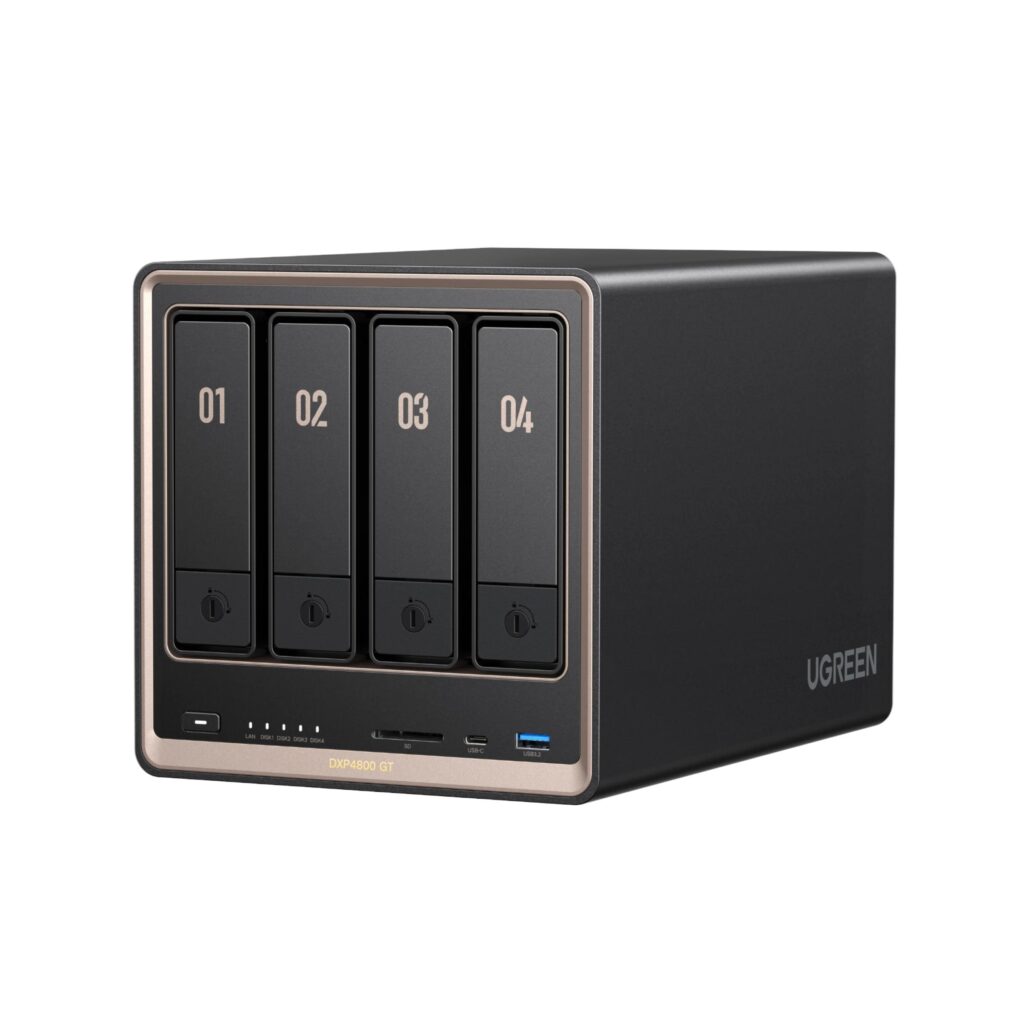
From a design perspective, the DXP4800 GT feels like a premium piece of hardware. Its aluminum chassis, dark finish, and subtle gold accents give it a more refined appearance than the typical plastic NAS enclosure.
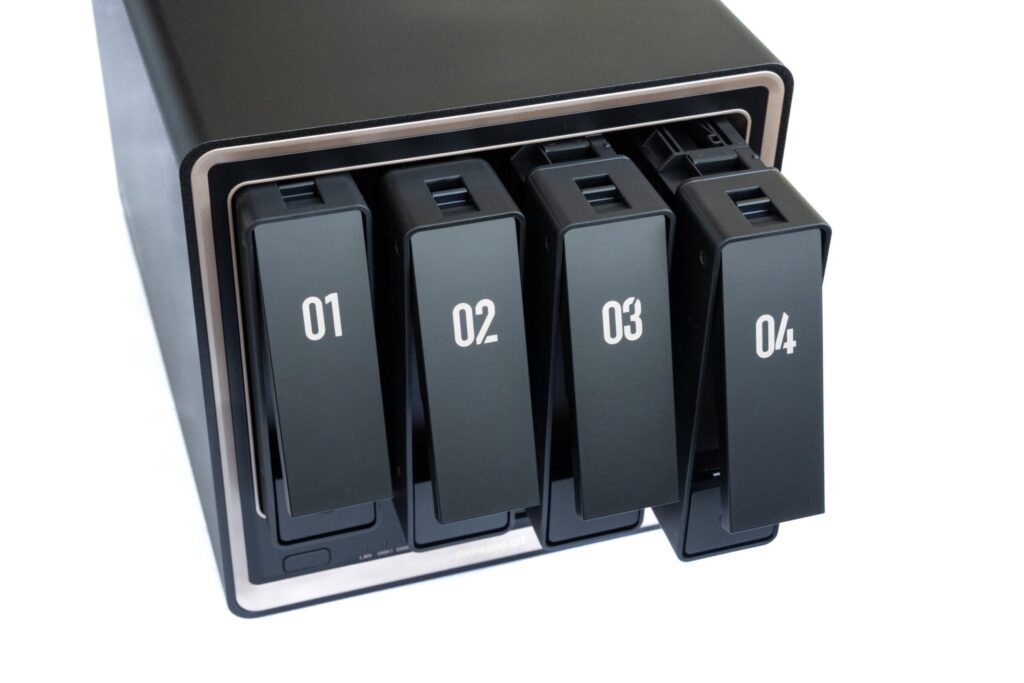
The front houses four removable drive trays, status indicators, an SD card reader, and convenient USB connectivity. Around the back, you’ll find the dual 10GbE ports, additional USB connections, and HDMI output.
UGREEN also includes a removable magnetic dust filter, which makes routine cleaning much easier. The manufacturer rates its cooling fan at approximately 29 to 34dB, although actual operating noise will depend on the installed drives and workload.
Installing compatible hard drives is straightforward thanks to the tool-free trays. Once the drives are installed and the NAS is connected to your network, the UGREEN desktop application can discover the device and guide you through the initial configuration.
From there, UGOS Pro handles storage pool creation, RAID selection, user accounts, and shared folders through its graphical interface.
You don’t need to be a system administrator to get started, although understanding the differences between RAID configurations is still important before committing your drives to a storage pool. So do some research before deciding which to pick.
Performance and Everyday Use
The DXP4800 GT’s biggest selling point is undoubtedly its dual 10GbE connectivity.
For anyone unfamiliar with networking terminology, 10GbE refers to a 10-gigabit Ethernet connection. Compared with a typical 1GbE network, it offers substantially more bandwidth for transferring large files between compatible devices.
That matters when you’re moving hundreds of gigabytes of video footage, maintaining large project libraries, or accessing shared storage from multiple workstations.
However, simply having two 10GbE ports doesn’t mean a single computer can automatically achieve 20Gbps transfers. Using link aggregation with compatible networking equipment can increase the total available bandwidth across multiple connections, while individual connections generally remain limited to 10GbE.
To understand what this hardware can achieve, it’s worth looking at the independent benchmarks published by TechRadar.
In its testing, TechRadar configured four Seagate IronWolf drives in RAID 5 and recorded the following results:
| Network configuration | Read | Write |
|---|---|---|
| 1GbE | 115 MB/s | 97 MB/s |
| 2.5GbE | 273 MB/s | 268 MB/s |
| 10GbE | 1,034 MB/s | 585 MB/s |
Results from TechRadar’s testing. The 10GbE figures were measured using AJA System Test Lite. These are not benchmarks conducted by SauceStudios.
Those are impressive results for a four-bay NAS, particularly when you consider its price. Though this may vary between users for the achieve results.
TechRadar also successfully edited approximately 500GB of 4K video footage directly from the NAS using a 10GbE connection. That demonstrates why high-bandwidth network storage can be valuable for content creators working with large project files.
For my own use, the experience has been more focused on convenience and maintaining a centralized workflow.
I’ve been able to keep my programming projects and locally stored language model files on the NAS rather than maintaining separate copies across different computers.
That arrangement makes managing projects easier, especially when moving between machines. The NAS serves as centralized storage, while my primary computer handles the actual processing and AI inference workloads.
This distinction matters because the DXP4800 GT isn’t designed to replace a dedicated AI workstation. Its Ryzen processor and integrated graphics provide enough processing capability for everyday NAS operations, Docker containers, and supported virtual machine workloads, but that doesn’t make it equivalent to a system with a dedicated graphics card for running larger language models.
Where the NAS performs particularly well is handling the tasks you would expect from a capable home server.
For example, Docker support allows users to deploy additional services without depending entirely on UGREEN’s native application selection.
This opens the door to running media servers, network utilities, and other self-hosted applications, provided the installed memory and processing resources are sufficient.
Media Playback and Remote Access
The DXP4800 GT has also been useful for storing my music, videos, and photos.
Rather than keeping separate media collections on different devices, everything can live in one place and remain accessible whenever I need it.
UGOS Pro provides built-in media management and playback features, while users who prefer a more complete media server can install alternatives such as Plex or Jellyfin through Docker.
The AMD processor includes integrated Radeon Vega graphics with hardware-assisted video decoding and encoding capabilities. Notebookcheck reported successful 4K Plex transcoding during its testing, although actual performance will depend on the media codec, playback settings, and number of simultaneous streams.
I also appreciate having access to my media files when I’m away from home.
For remote connectivity, I use Tailscale, which allows authorized devices to communicate over an encrypted private network.
Once configured correctly, this means I can access services on my NAS without forwarding its management ports directly to the public internet.
UGREEN also provides its own remote access service, UGREENlink, for users who prefer a simpler setup.
From a security perspective, I prefer having control over which devices can connect to my network and what resources they’re permitted to access.
Tailscale provides that flexibility, but its security still depends on correctly configured access policies, authenticated devices, and updated software.
Small note, if you set up tailscale properly you can use the UGREEN app on your mobile to connect back to your home network, without having to enable the feature, which is something that I am highly thankful that UGREEN done for those wanting more control of what is going inbound and outbound of your network.
Regardless of which remote access solution you use, I recommend strong unique passwords, multifactor authentication where supported, regular system updates, and limiting access to only the services you actually need.
Another useful feature is UGREEN’s built-in file sharing. Shared links can be configured with access restrictions, expiration dates, passwords, and download permissions, making it easier to exchange files without granting unrestricted access to the NAS.
Taken together, these features make the DXP4800 GT more than a place to store files. It can function as a practical personal server for everyday work and entertainment.
Where the DXP4800 GT Could Improve
While the DXP4800 GT offers impressive hardware for its price, there are several limitations worth considering before purchasing one.
The first is the additional equipment required to take full advantage of 10GbE networking.
If your home network is limited to 1GbE or 2.5GbE, you won’t achieve the transfer speeds shown in TechRadar’s 10GbE benchmarks. Which happens to me as I am limited by the 1GbE speed from my provider, so I do not have a way to get it to 10GbE, but hey maybe someday.

You’ll need compatible networking equipment, which could include a 10GbE switch, a suitable network adapter for your computer, and appropriate Ethernet cabling.
Those upgrades aren’t necessarily required if you already have suitable equipment or use a direct connection, but they can substantially increase the overall investment.
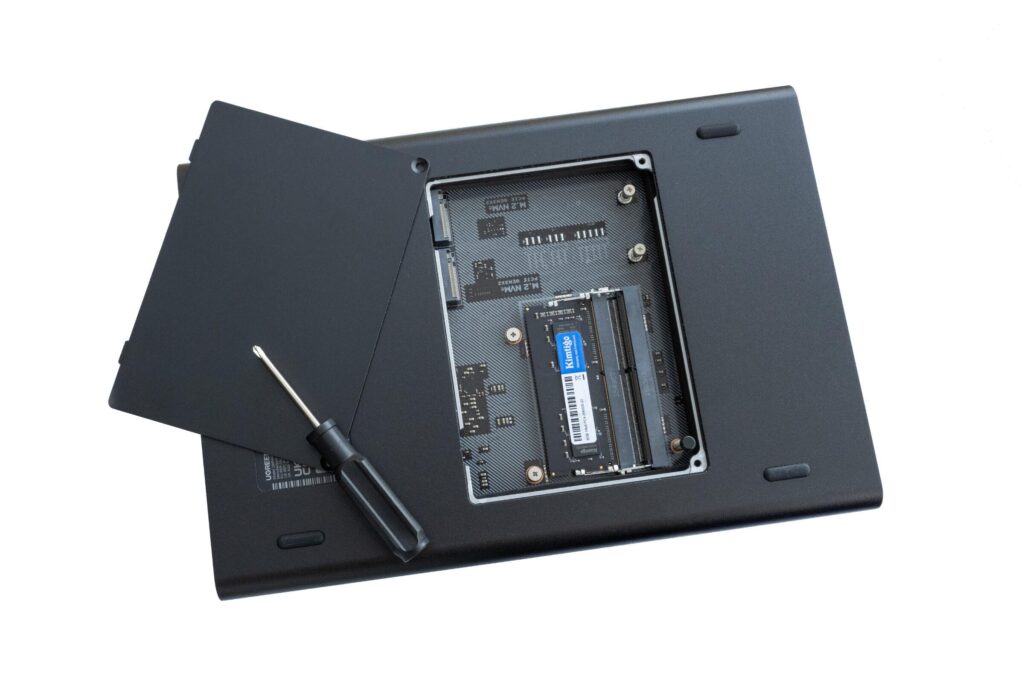
The DXP4800 GT ships with 8GB of DDR4 installed in a single memory slot. While that’s adequate for basic file storage and lighter workloads, users planning to run multiple Docker containers or virtual machines may want additional RAM.
UGREEN supports up to 64GB and offers compatibility with ECC memory, which can detect and correct certain memory errors.
However, the included 8GB module is non-ECC. Anyone planning to use ECC will need to replace the factory memory with compatible modules rather than simply adding an ECC stick alongside it.
UGOS Pro has made significant improvements, particularly when it comes to usability, but its native application ecosystem remains smaller than established alternatives such as Synology DSM and QNAP QTS.
For example, Plex Media Server isn’t offered as a native UGOS Pro application in the reviewed software configuration. Instead, users can deploy it through Docker.
That isn’t necessarily a problem for someone comfortable with containers, but it introduces additional setup compared with a one-click native installation.
Notebookcheck also identified limitations in UGOS Pro’s RAID management flexibility, which could matter to users planning future storage expansion or changes to existing arrays.
Although the DXP4800 GT supports NVMe storage, its two M.2 slots operate at PCIe Gen 3 x2 speeds. Faster Gen 4 SSDs won’t reach their full potential in those slots.
There’s also no Thunderbolt 4 connectivity, despite the product being marketed toward creative professionals.
The operating system runs on 64GB of eMMC storage instead of the dedicated system SSD found in models such as the DXP4800 Plus and Pro. This isn’t necessarily a problem for everyday file serving, but it’s another hardware distinction worth understanding.
The AI tools available through UGOS Pro primarily focus on photo management, including facial recognition, duplicate detection, text recognition, and organizing images.
These features can be convenient, particularly for anyone managing thousands of photos, but they shouldn’t be confused with the more advanced local language model capabilities offered by UGREEN’s higher-end iDX systems.
If your primary goal is to run large AI models directly on a NAS, this isn’t the model I would recommend.
It’s also important to remember that the DXP4800 GT ships without hard drives or SSDs.
Depending on your storage requirements, filling all four bays could cost as much as, or considerably more than, the NAS itself.
Price, Final Verdict, and Who Should Buy It
The UGREEN NASync DXP4800 GT is currently being advertised for $527.99 during UGREEN’s November 2026 Black Friday promotion, compared with a displayed reference price of $729.99.
That represents an advertised discount of $202, or approximately 28%.
For additional context, the NAS originally launched with a reported US MSRP of $659.99, so the promotional savings should be considered against both figures. Pricing and availability may change after the sale.
At its current promotional price, the DXP4800 GT offers a compelling combination of high-speed networking, expandable storage, and useful server capabilities.
You’re getting a four-core, eight-thread Ryzen processor, dual 10GbE networking, four primary storage bays, two M.2 slots, and support for Docker and virtual machines.
More importantly, you’re getting a system that doesn’t require extensive technical knowledge to operate.
Compared with alternatives such as the Synology DS923+ and QNAP TS-464, UGREEN’s inclusion of two 10GbE ports is a notable advantage. Those competitors don’t offer the same dual 10GbE configuration as standard, although they have their own expansion capabilities and more mature software ecosystems.
Though, you will need to buy additional memory, hard drives, and SSD. Plus you need to factor in time setting it up properly, and getting this running. Which adds it, but in the long run, you own it and everything is yours. So do consider that.
I have been using it along side the UGREEN HomeAgent, and using Sync & Backup (and rsync feature) to transfer files back and forth between both device and they work really great. So do know if you own multiple UGREEN NAS (probably work with other NAS) or considering joining the Kickstarter for the AI HomeAgent to buy one in the future, just know they work well together (again setup is required).