
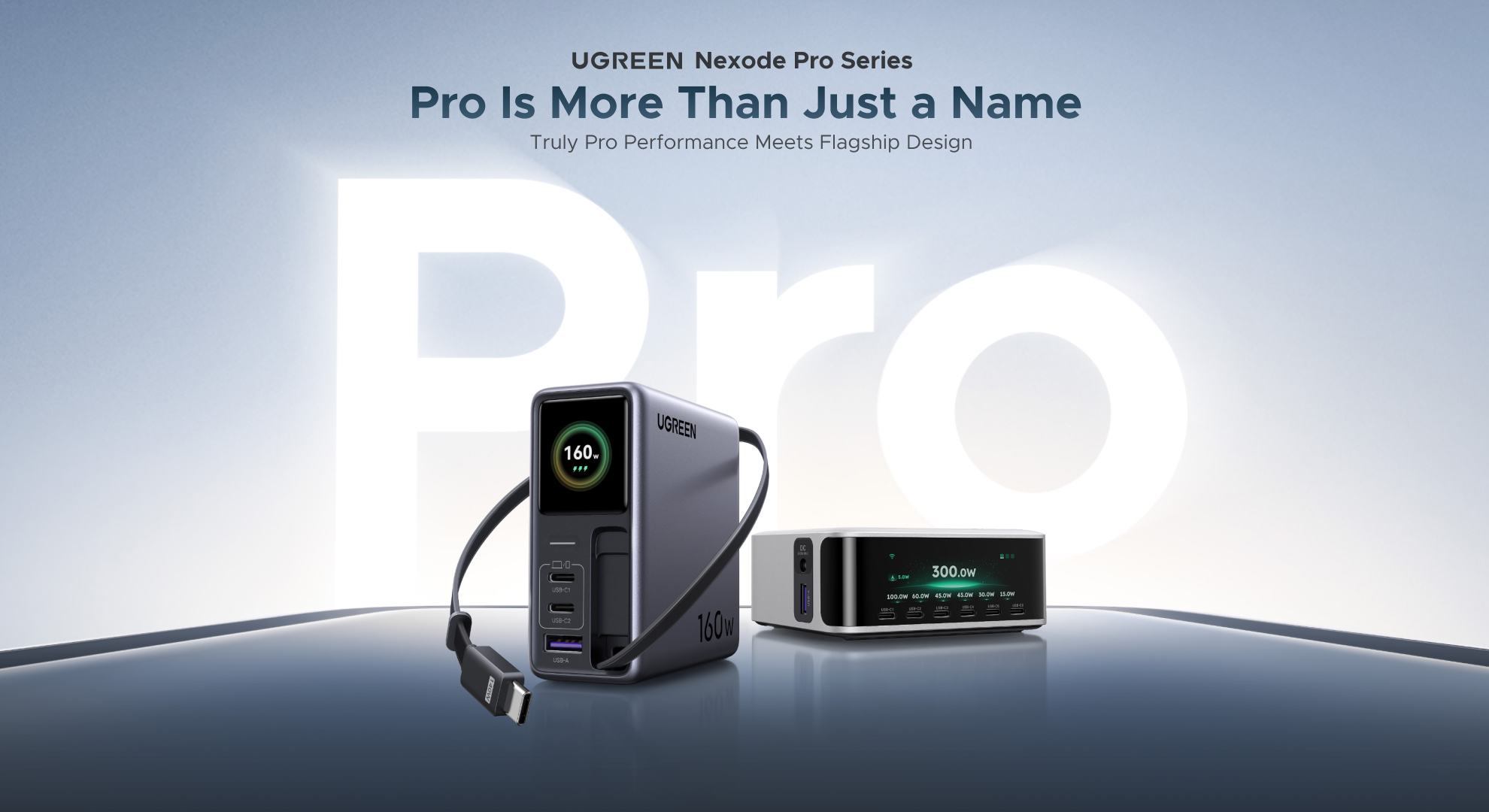

UGREEN recently expanded its Nexode Pro lineup with two new charging solutions: the Nexode Pro 160W Charger with Retractable Cable and the Nexode Pro 300W Desktop Charger. Thanks to UGREEN, Saucestudios had the opportunity to spend time with both devices to evaluate their design, features, and real-world performance.
As someone who works in IT, I regularly test a wide range of laptops, mobile devices, and USB-C accessories. Over several days, I put both chargers through a series of stress tests to see how they handled different charging scenarios. While most users are unlikely to push either charger to its advertised maximum output, understanding their capabilities can help determine whether they’re a worthwhile upgrade for your home, office, or travel setup.
In this review, I’ll break down the specifications, explain the key technologies that power these chargers, and share my hands-on experience to help you decide if either Nexode Pro charger is worth adding to your desk.
Nexode Pro 160W Charger with Retractable Cable Review
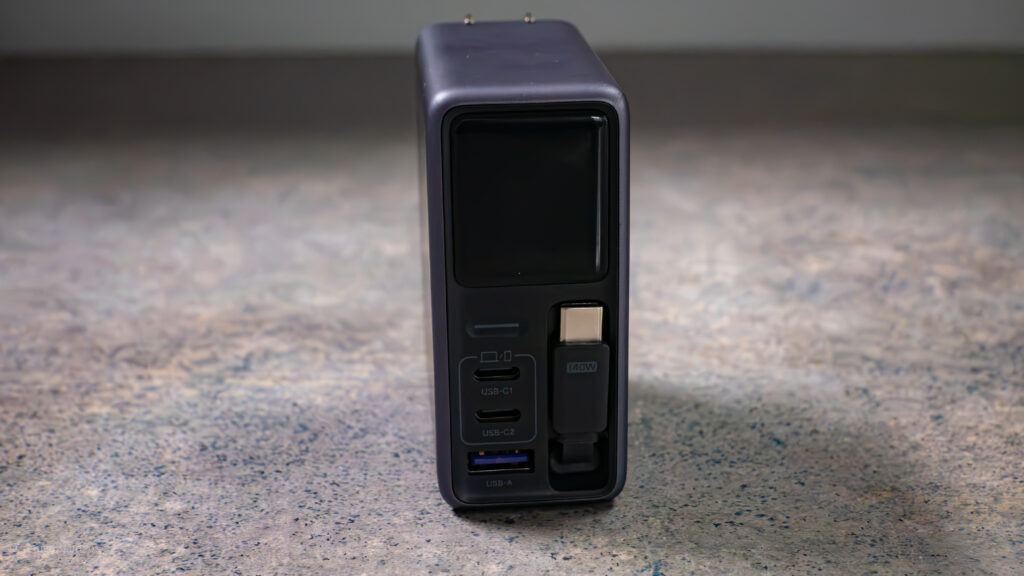
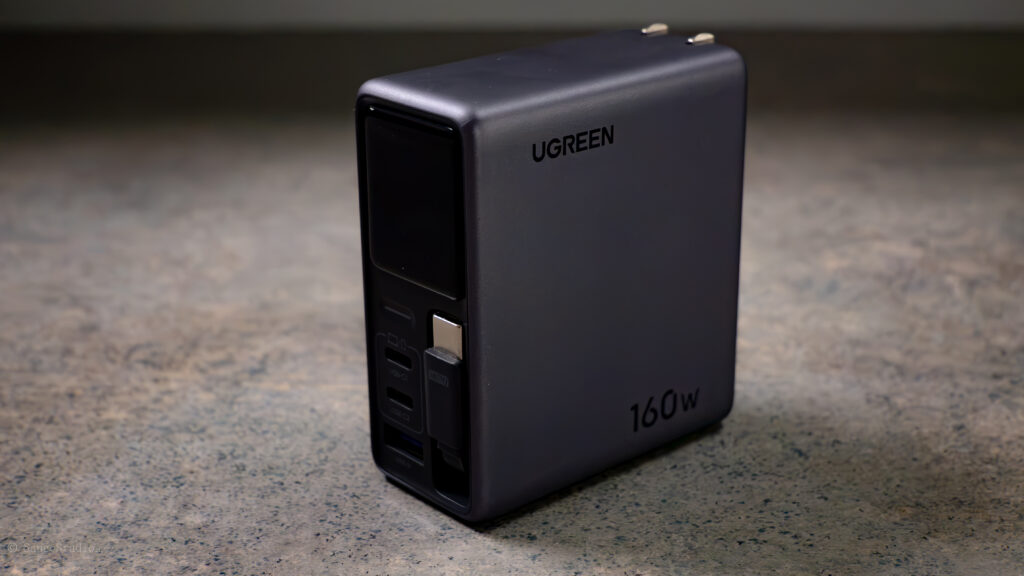
UGREEN Nexode Pro 160W is an excellent replacement for the bulky power adapters that come with many laptops, especially Apple’s larger MacBook chargers. While it isn’t the lightest charger on the market, weighing approximately 310 grams (10.9 ounces), it more than makes up for the extra weight with an impressive combination of power, convenience, and versatility. It packs a couple of technologies that make it a great charger on the market, though let us see if it can justify the price to all those who are interested in this.
It features 160W USB Power Delivery (USB PD), an industry-standard fast-charging technology that allows compatible laptops, tablets, smartphones, and other devices to charge safely at much higher speeds.
GaNInfinity technology, which is built around Gallium Nitride (GaN) components. Compared to traditional silicon chargers, GaN chargers are more efficient, produce less wasted heat, and deliver more power in a smaller package.
To keep temperatures under control, the charger includes a Thermal Guard system that continuously monitors internal temperatures and adjusts performance when necessary to prevent overheating.
Smart Touch Display and companion UGREEN app, which allow you to monitor charging information, view how power is being shared between connected devices, and install firmware updates when they become available.
The built-in retractable USB-C cable is easily my favorite feature. If you travel often or commute to work, you probably know how frustrating it can be to carry multiple charging cables. They become tangled, take up unnecessary space, or somehow end up buried at the bottom of your bag when you need them most. UGREEN solves much of that problem by integrating a retractable USB-C cable directly into the charger.
I do wish it were slightly longer, but at 31.5 inches (about 2.6 feet), it is still long enough for most desks, coffee shops, airports, and hotel rooms. More importantly, it eliminates one less cable you have to remember to pack. It is also flexible and thin, so you do not have to worry about it getting tangled or damaged easily.
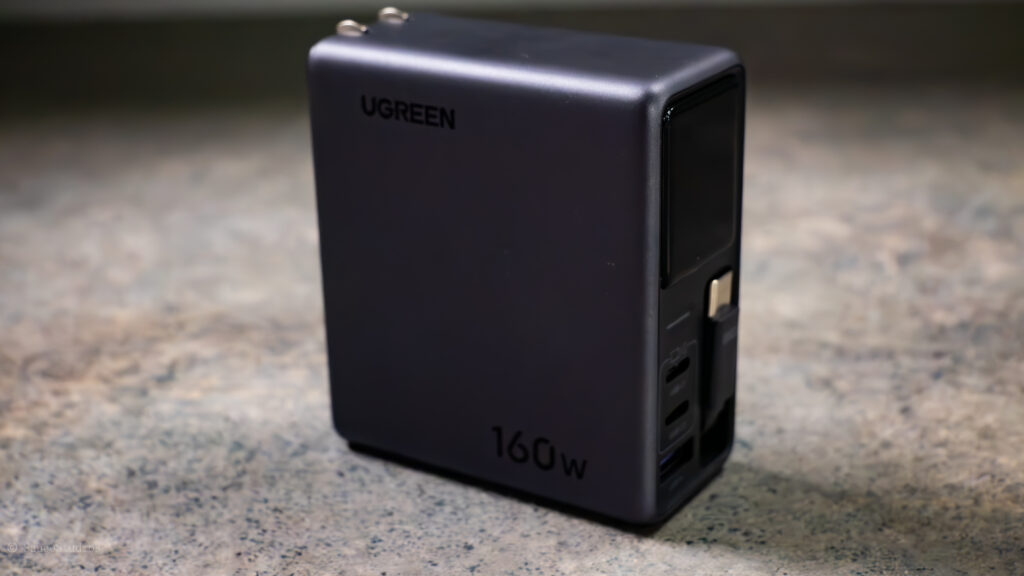
The retractable cable supports up to 140W of charging power, matching the maximum output of the primary USB-C port. During testing with both a MacBook Pro M4 Pro and a MacBook Pro M3 Pro, charging performance was consistently excellent. The charger maintained between 130W and 140W throughout the early stages of charging before gradually reducing output as the battery filled. Once the battery reached around 90%, charging slowed into the 40 to 60W range before tapering off even further between 97% and 100%.
Modern devices intentionally reduce charging speed as the battery approaches full capacity to reduce heat and help extend the battery’s long-term lifespan. Your mileage and usage may vary; however, the remaining ports provide plenty of flexibility:
- USB-C 1: Up to 140W
- USB-C 2: Up to 100W
- USB-A: Up to 22.5W
The charger also supports several fast-charging standards, including USB PD 3.1, PPS (Programmable Power Supply), Qualcomm Quick Charge, Samsung AFC, Huawei SCP, and UFCS. In simple terms, this means it works with a wide range of devices from different manufacturers without requiring brand-specific chargers.
Both MacBook Pro systems charged from 15% to approximately 97% in around 1 hour and 5 minutes, which is impressive for a charger this compact. One thing I noticed during testing is that the charger becomes noticeably warm under heavy loads. That is not necessarily a drawback. High-powered GaN chargers naturally generate more heat while delivering large amounts of power. Fortunately, UGREEN’s Thermal Guard system appears to do its job well by keeping temperatures under control.
Although I never found it uncomfortable to handle, I would still recommend giving the charger some breathing room instead of covering it or placing it in an enclosed space while charging multiple high-power devices.
Nexode Pro can charge up to four devices simultaneously, intelligently distributing its available 160W across everything that is connected. The companion UGREEN app is an interesting addition. Personally, I am still undecided about making a charger a smart device. While it is nice being able to monitor charging information and adjust settings from your phone, I am not convinced every charger really needs app connectivity.
That said, I still recommend installing it. The app provides firmware updates, lets you verify charging status, and gives you a clear view of how power is being distributed between connected devices. The best part is that the charger works perfectly without the app, so installing it is entirely optional.
Overall, build quality feels premium, and it’s quite portable so you can carry it around; you can also replace that Apple charger you have for a while. During my testing, I used it with several Dell laptops, Apple MacBooks, my smartphone, and even my Steam Deck without any compatibility issues. Having one charger that replaces several others has made traveling and organizing my gear much simpler.
At the time of writing, the Nexode Pro is available for around $100 during promotional sales, down from its $150 MSRP. At that price, it offers excellent value for anyone looking to upgrade their charging setup or replace multiple chargers with a single high-performance solution. I personally feel that this is a huge upgrade for me, as it reduces one less cable, and the retractable cable is rated at 140W. This means I do not have to test other cables to see if they can output that high, just a small plus. So do get it while the sale is still going.
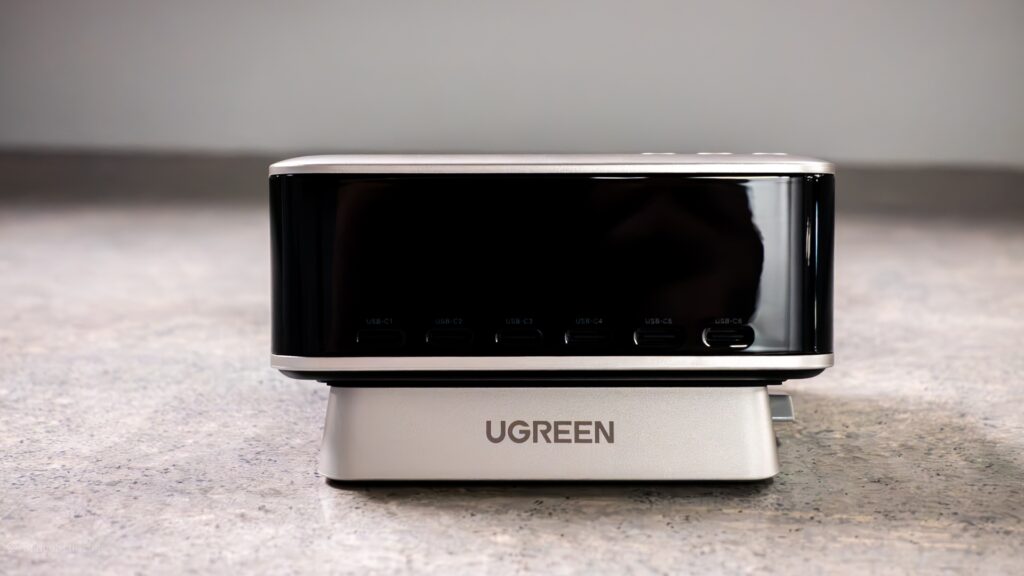
Nexode Pro 300W Charging Station with Smart Display, 8-Port Charger
UGREEN Nexode Pro 300W is a very different kind of charger compared with the smaller Nexode Pro 160W. This is not something I would recommend to everyone, but for the right desk setup, it can be an incredibly convenient addition. Personally, I have a PC setup at home with a laptop stand, all connected to one power strip. So I took it to work instead to do all my testing, as working in IT, I have many pieces of equipment that would utilize each of the ports, including the DC port that an average user may not use unless you have special devices that use it.
The Nexode Pro weighs around 960g; this includes the stand you can place it on to sit it at a bit higher angle, and the cable itself. The included stand allows the charger to sit at a slight angle, making the display easier to see while also giving it a more substantial presence on your desk.
I originally planned to test it at home, but my home setup already has my PC, laptop stand, and other equipment connected to a power strip. Instead, I brought it into work for testing. Working in IT means I have no shortage of devices that need to be charged, so the Nexode Pro 300W quickly became much more useful in that environment.
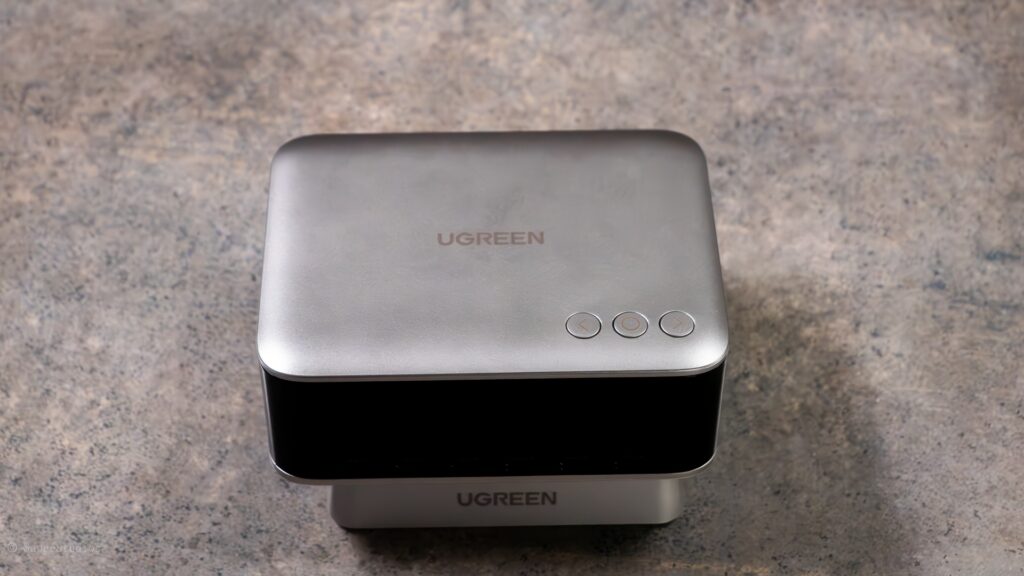
The top of the Nexode Pro features three simple physical buttons. You do not really need the manual to figure it out.
The controls are straightforward:
- Left button: Move left or hold to exit the current menu
- Middle button: Select or confirm
- Right button: Move right
On the front are six USB-C ports, along with a USB-A port and a DC output. For someone who regularly works with modern electronics, having this many ports available is extremely convenient.
Of course, you need enough USB-C cables to take advantage of them. I quickly discovered that I do not own nearly enough USB-C-to-USB-C cables to fill all six ports at once. Fortunately, with the right adapters and cables, the charger handled everything I connected to it.
I tested the charger with a wide variety of devices, including Samsung Galaxy smartphones, iPhones, multiple iPads, MacBook Pro models, Dell XPS laptops, and several other pieces of equipment.
In general, charging performance was very good. Most of the devices I tested went from approximately 15% to 90% in around 1.2 hours, although charging times varied depending on the device and its charging capabilities. Do remember, the closer it gets to a full charge, or if your device is heating up, the PD will decrease.
When using a single port, the power limits are:
- USB-C 1, 2, and 3: Up to 140W each
- USB-C 4 and 5: Up to 100W each
- USB-C 6: Up to 30W
- USB-A: Up to 22.5W
- DC output: Up to 240W
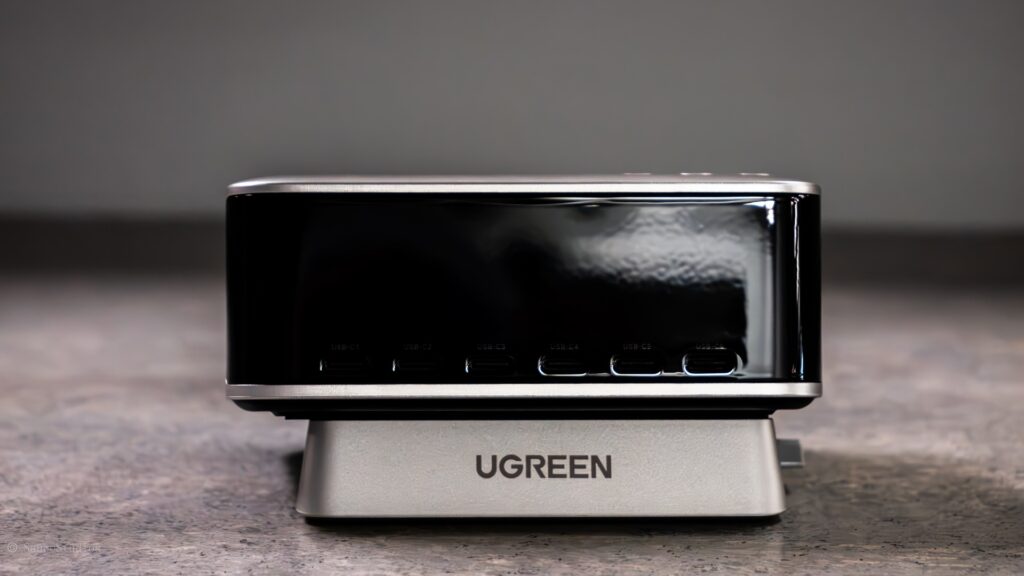
When multiple devices are connected, the charger dynamically distributes its available power between them.

This is where USB Power Delivery, or USB PD, becomes important. USB PD is a charging standard that allows the charger and device to communicate and determine how much power can be delivered safely.
Think of it as a conversation between the charger and your device. The device tells the charger how much power it can accept, and the charger adjusts its output accordingly. This helps prevent a device from receiving more power than it is designed to handle.
The cable matters too. Not every USB-C cable supports the same amount of power. Even if you connect a laptop capable of accepting 140W to a 140W port, you may not receive the full 140W if the cable or the laptop does not support it.
Because of this, your results may vary from mine.
During my testing, I did notice some fluctuation in power output, particularly when several devices were connected. That is expected when the charger is actively balancing power between multiple devices. Overall, though, it maintained a steady charge across the devices I tested.
The amount of equipment I was able to connect was probably the biggest advantage of this charger. I tested it with Samsung Galaxy devices, iPhones, multiple iPads, two MacBook Pro M4 systems, Dell XPS laptops, and other accessories. Rather than having several charging bricks scattered across the desk or plugged into a power strip, I could consolidate much of that charging into one location.
If you have a laptop connected to a dock, a phone, headphones, a smartwatch, a tablet, and other accessories, you can potentially eliminate several charging adapters from your workspace. It also makes sense in shared environments. I could easily see myself using this in a hotel room or at an event where I need to keep my laptop, phone, headphones, and smartwatch charged while working at the same table.
With this much power being delivered through a single device, heat is something I paid close attention to.
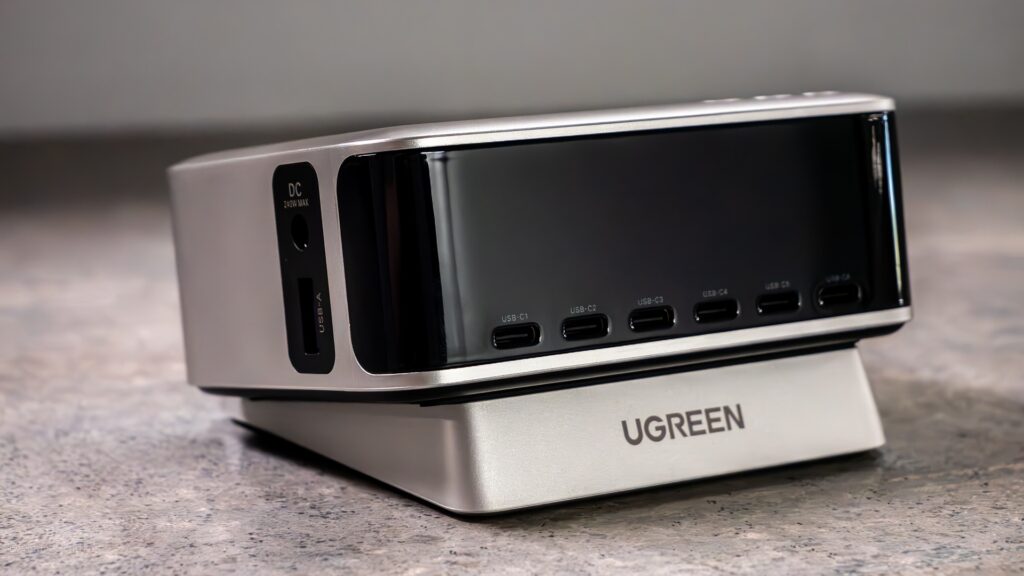
The Nexode Pro 300W does get warm during heavy use, but I never found it uncomfortably hot to the touch. UGREEN’s use of GaN, or Gallium Nitride, helps here. GaN is a more efficient semiconductor material commonly used in modern high-power chargers, allowing them to deliver more power while taking up less space and producing less wasted heat than many older charger designs.
The charger also gives you control over how it manages charging and heat. You can switch between different charging modes, including adaptive charging and thermal-focused charging. For most users, you probably will not need to change these settings frequently. However, it is nice to have the option when the charger is under a particularly heavy load.
The UGREEN app is useful, but I still think it has room for improvement. I like being able to monitor the charger from my phone, check charging information, and update the firmware. However, the application feels somewhat limited compared with what I think a truly “smart” charging station could offer.
I would like to see more control and more detailed information in future updates. Fortunately, the app is not required. The Nexode Pro 300W works perfectly well on its own, and the built-in display and physical buttons provide everything you need for basic operation.
If you have a home office, a workstation with several devices, or regularly need to charge multiple pieces of equipment at the same time, the Nexode Pro 300W becomes much more compelling. It is also a great option if you are trying to clean up your workspace. Instead of having several power bricks plugged into a power strip, you can consolidate much of your charging into a single unit. So, depending on your setup, this may or may not be for you.
It is not a product everyone needs, and at around $170 on sale, it is still an expensive purchase. You are also unlikely to use the full 300W capacity unless you have several high-power devices connected at the same time.
The Nexode Pro 300W is designed for people who have a lot of devices and want to simplify how they charge them. It takes up relatively little desk space, provides plenty of charging ports, delivers power at reasonable speeds, and stays comfortably warm rather than becoming excessively hot during heavy use. The premium construction also makes it feel like a product designed to stay on your desk for years rather than something you are constantly moving around.