
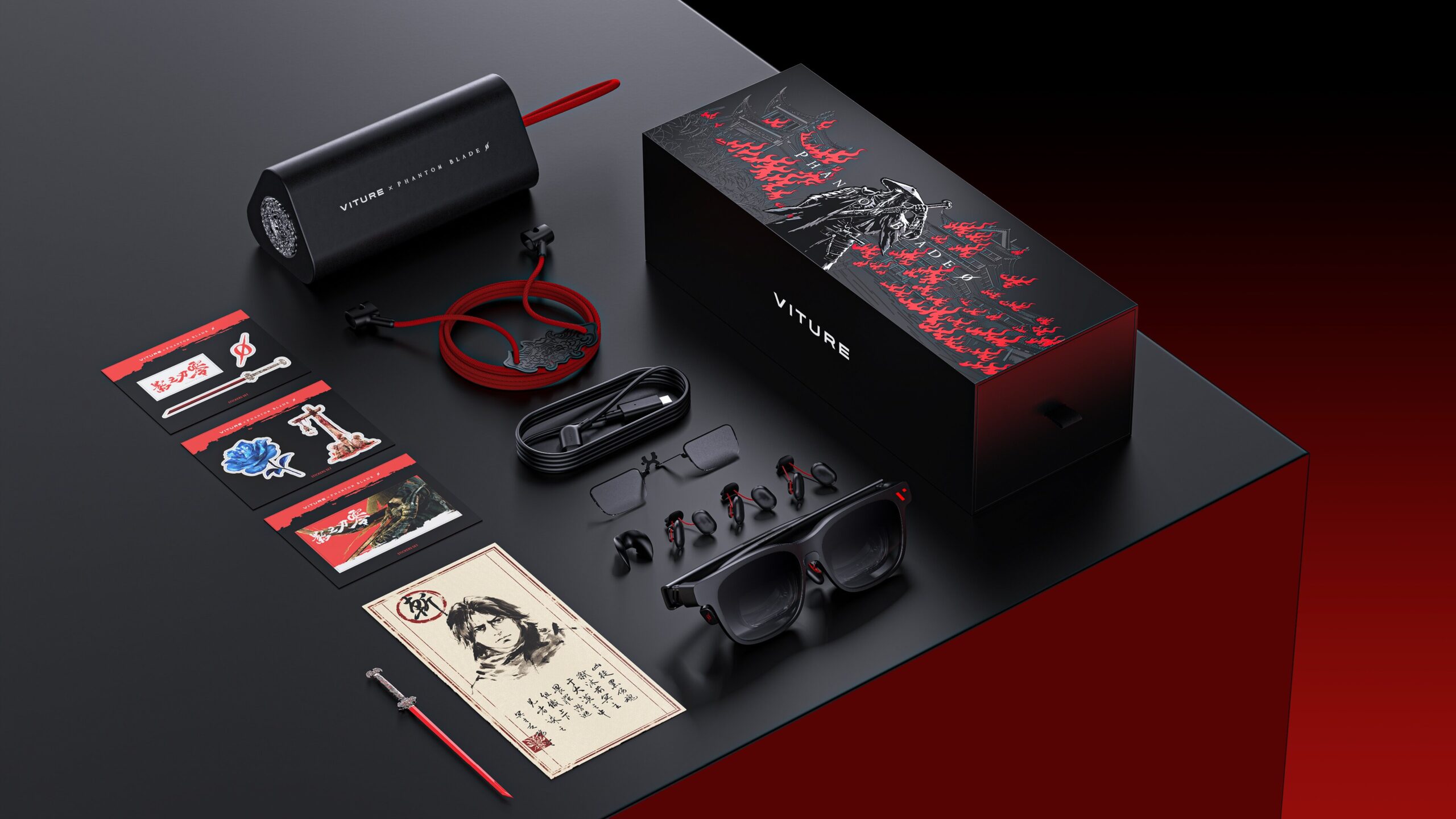
Gaming collector’s editions usually come with items that spend most of their lives sitting on a shelf. Whether it is a statue, an art book, or a steelbook, these extras are generally meant to be displayed rather than used. VITURE is taking a different approach with its Phantom Beast XR glasses, a special edition of its flagship Beast created in collaboration with S-GAME to celebrate the release of Phantom Blade Zero.
Released alongside the game on October 29, 2026, the $599 Phantom Beast combines VITURE’s latest XR display technology with a design inspired by the dark wuxia world of Phantom Blade Zero. Rather than simply putting the game’s logo on an existing product, VITURE has given the glasses a custom appearance, exclusive accessories, and a carrying case designed to resemble a sword scabbard. They do look incredible in person.
Underneath the special-edition design, however, the Phantom Beast is essentially the same hardware as the standard VITURE Beast. Both feature Sony Micro-OLED displays, a 58-degree field of view, built-in head tracking, and a virtual screen that VITURE claims can reach an apparent size of 174 inches. The difference comes down to the presentation, collectibles, and a $50 premium.
I had the opportunity to use the Phantom Beast while playing Phantom Blade Zero on my desktop PC, reclining in my chair with a controller rather than sitting directly in front of my monitor. It is an interesting way to experience a game, especially for anyone who wants the flexibility of playing without being tied to a traditional screen.
But at nearly $600, does the Phantom Beast really what you need with your current setup? Let’s find out if this item is right for you, going over the specs, usage, and what to expect.

A Collector’s Edition
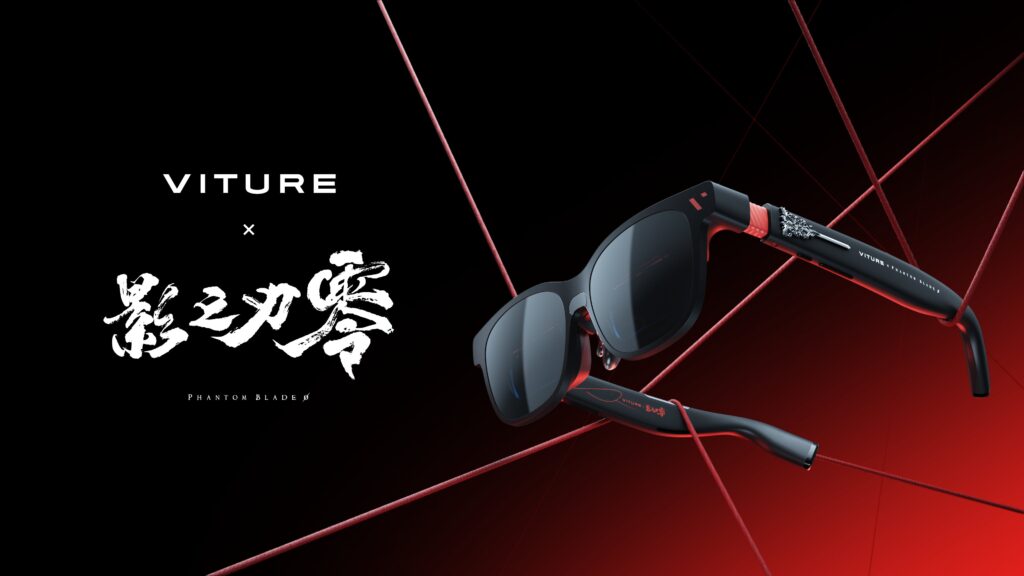
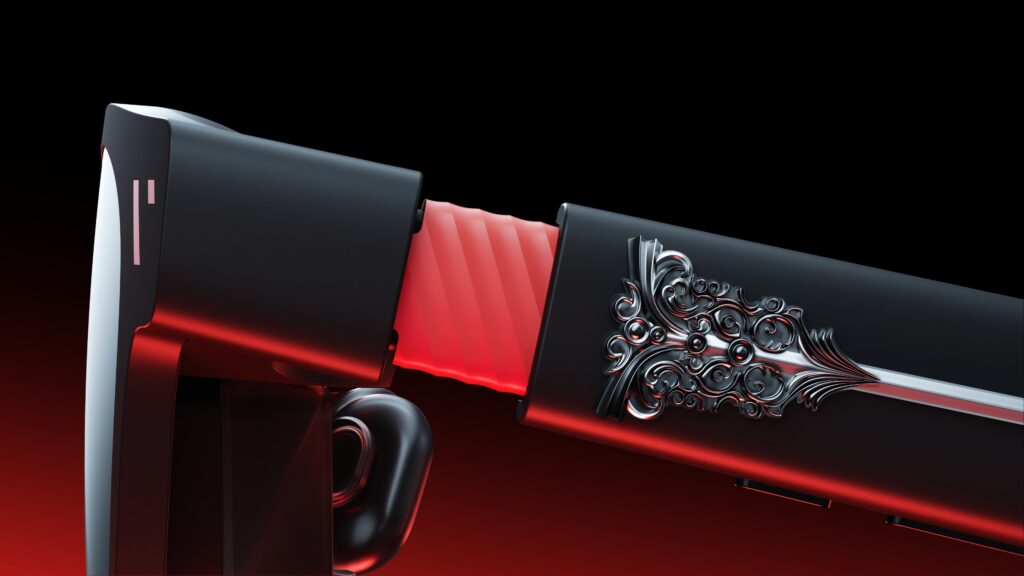
One of the first things that separates the Phantom Beast from VITURE’s standard Beast is its appearance. The regular version has a relatively understated design, while the Phantom edition incorporates elements from Phantom Blade Zero, particularly the weapon carried by its protagonist, Soul.
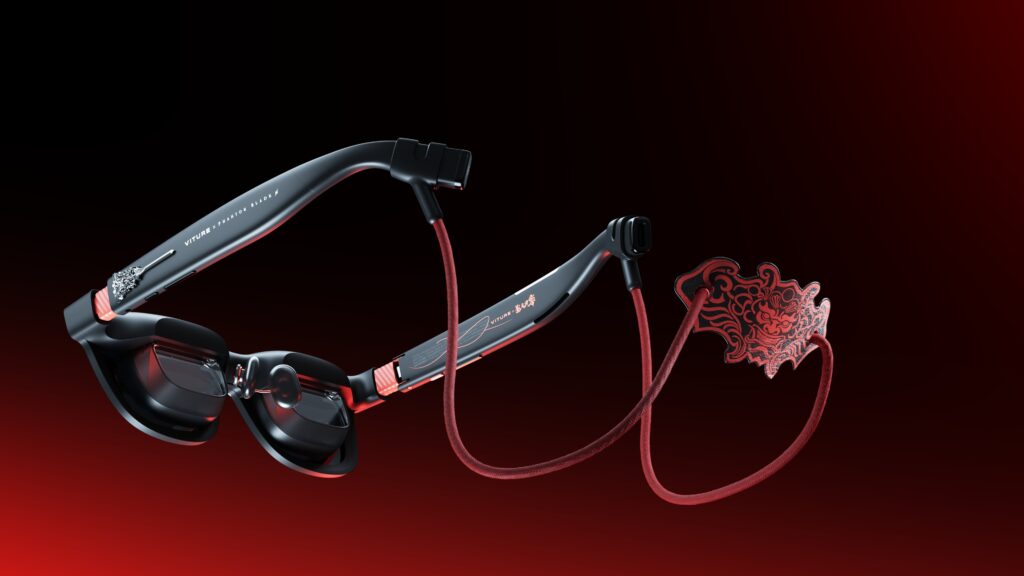
The temples feature metal detailing inspired by Mó Sanguine, with red accents running through the darker frame. The design is meant to resemble a blade being drawn from its scabbard, fitting the game’s emphasis on swordplay and traditional martial arts.
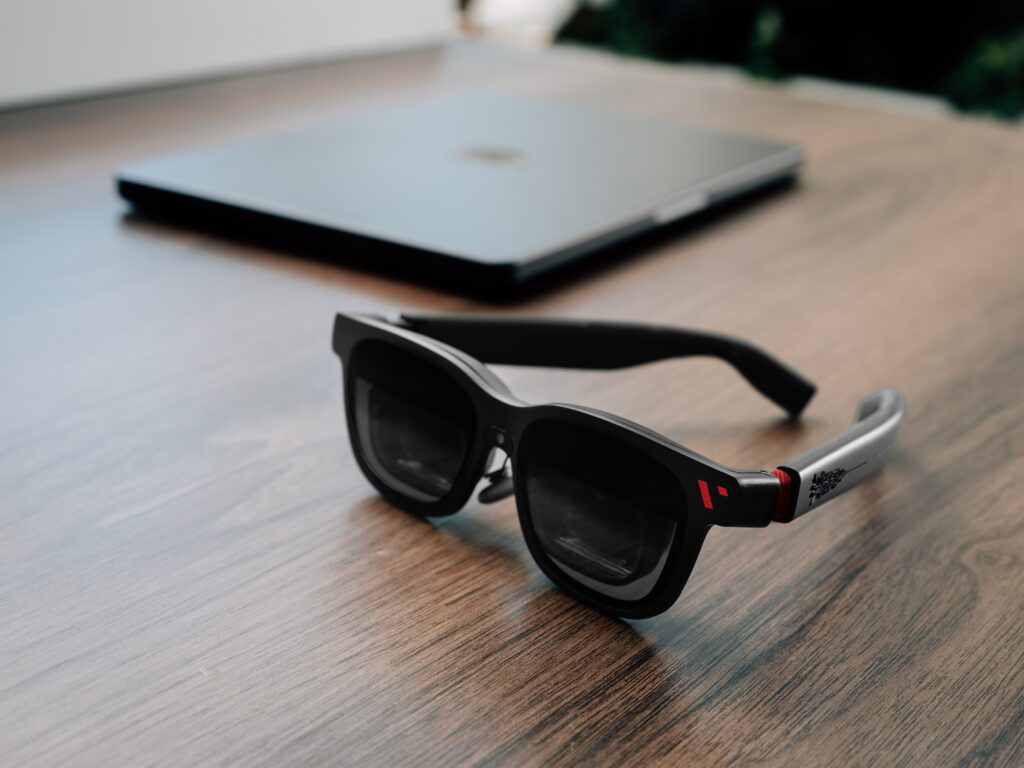
The glasses themselves still retain the general shape of conventional sunglasses, although the additional metalwork makes them considerably more noticeable than the standard model.
VITURE uses a magnesium-alloy-based frame with adjustable temples that can be tilted to different angles. This is more than a cosmetic feature because the positioning of XR glasses affects how clearly you can see the entire virtual screen. If the glasses sit at the wrong angle, you may have difficulty seeing the outer edges of the image.
The Phantom Beast also includes four interchangeable nose pads, allowing users to adjust how the glasses sit on their face. It is a practical addition considering how much proper alignment matters for this type of display.
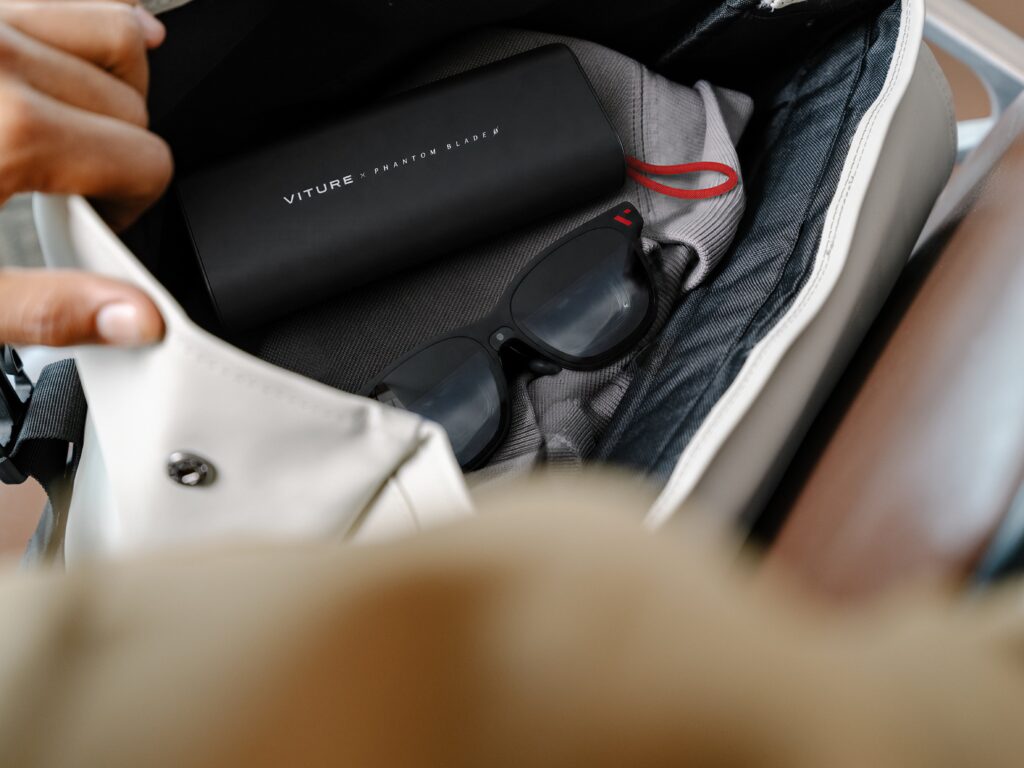
The most distinctive part of the collector’s package, however, may be its carrying case, VITURE designed a triangular, scabbard-inspired enclosure that slides open to reveal the glasses inside. The dark exterior and crimson interior complement the overall Phantom Blade Zero theme, making it feel more like a collector’s item than an ordinary carrying case.
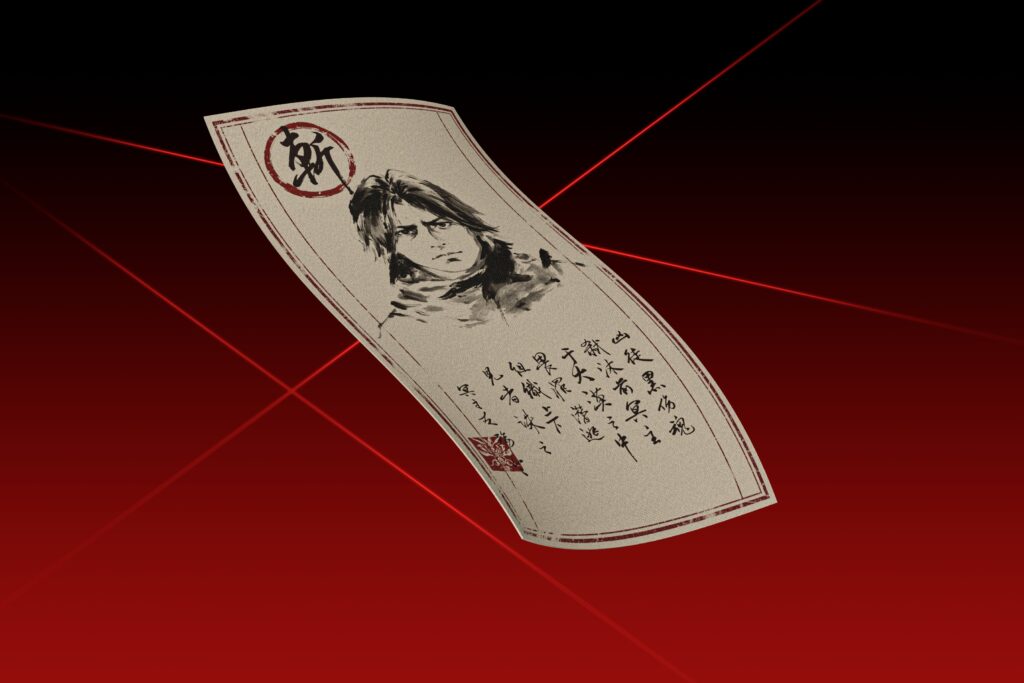
VITURE also advertises several themed accessories, including a detachable strap, a special-edition cleaning cloth, stickers, collectible cards, and a metal replica of Mó Sanguine. A hand-drawn map was offered as an exclusive pre-order bonus.
The collaboration extends to the glasses’ software as well. When accessing the on-screen display, or OSD, users are presented with a menu styled around Phantom Blade Zero. The SpaceWalker application also receives matching visual elements.
None of these additions changes how powerful the glasses are, but that is not necessarily the point. The Phantom Beast is designed to appeal to people who enjoy the game and want a piece of hardware that reflects that interest.
For those who wear glasses, you can order a prescription lens that will fit onto the VITURE glasses and it works perfectly well, you will need to give them your prescription information, and no sadly the lens are purchase separately.
Still, it is important to understand what you are paying for. The regular Beast offers the same core display technology for $549, while the Phantom edition costs an additional $50 for the collaboration and collector’s accessories.
Phantom Beast XR
The most important part of any XR glasses is the display, and this is where the Phantom Beast has some interesting technology.
VITURE uses two Sony Micro-OLED panels, each with a resolution of 1920 x 1200 and support for refresh rates up to 120Hz. The glasses also feature a 58-degree field of view, a manufacturer-rated peak perceived brightness of 1,250 nits, and a virtual display that can appear as large as 174 inches at an apparent distance of four meters.
Micro-OLED and Why It Matters for Gaming
Micro-OLED works similarly to the OLED displays found in televisions and smartphones, but the panels are considerably smaller. Instead of relying on a separate backlight like a traditional LCD, each pixel produces its own light.
This allows individual pixels to turn off completely when displaying black, producing deeper blacks and stronger contrast than an LCD that still allows some backlight to pass through.
For a game like Phantom Blade Zero, which features dark environments, detailed lighting, and fast-moving combat, that technology is particularly suitable. It allows bright effects to stand out against darker scenes without the grayish appearance that can occur on displays with weaker black levels.
VITURE advertises a contrast ratio of at least 100,000:1 and color coverage equivalent to 108% of the sRGB color space.
The contrast ratio describes the difference between the brightest white and darkest black a display can produce. A wider difference helps bright and dark elements remain visually distinct. Though this may very depending on if you are inside or outside a building. As the lighting can have some affects to the viewing of the display screen, though it is not that noticeable from my testing, though I tend to use the glasses more indoors.
The sRGB figure describes the range of colors the display can reproduce. Coverage above 100% means the display’s color gamut extends beyond the standard sRGB range, although that does not automatically mean its colors are more accurate.
VITURE also includes several color profiles, such as True Color, Vivid, Film, Warm, and Cold. These allow users to choose between a more neutral image, stronger saturation, or different color temperatures depending on what they are watching or playing.
The Phantom Beast’s advertised peak perceived brightness reaches 1,250 nits. Brightness matters for XR glasses because the displayed image is competing with light from the surrounding environment.
However, the figure is a manufacturer rating rather than an independently measured result from this review. The perceived brightness through the optical system should also not be compared directly with that of a television under normal viewing conditions.
Understanding the 174-Inch Virtual Screen
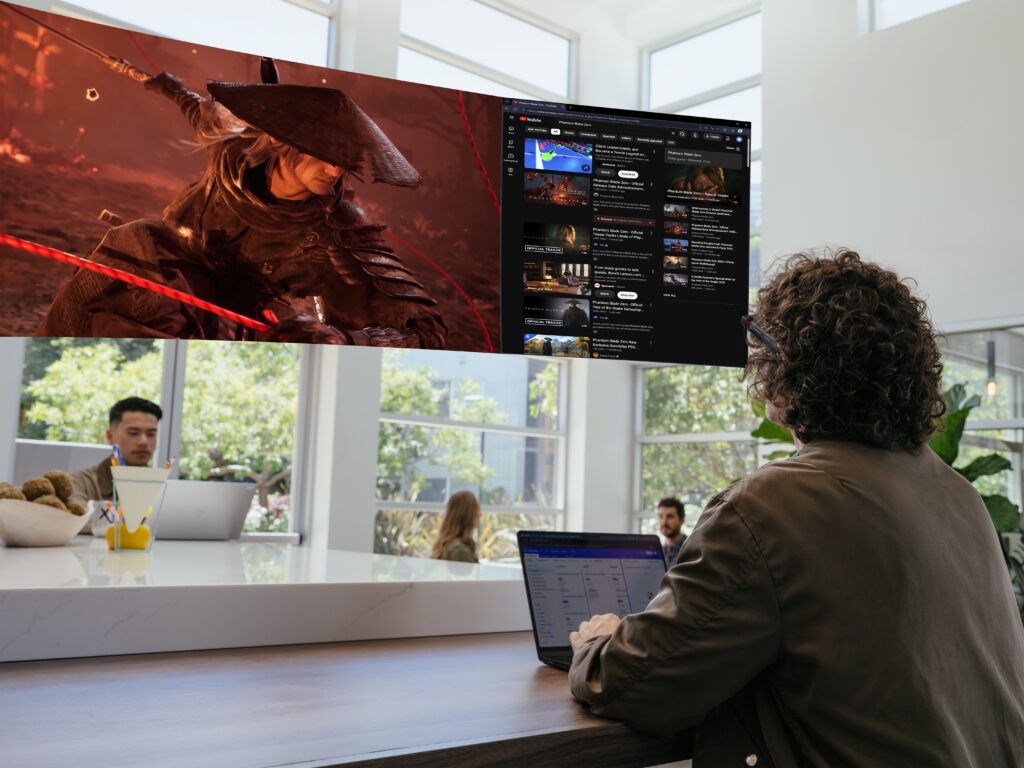
One of VITURE’s biggest selling points is its advertised 174-inch virtual screen. The panels inside the glasses are extremely small, and the optical system makes their images appear larger and farther away.
VITURE’s measurement represents the apparent size of the virtual display when viewed at an equivalent distance of four meters.
Think of sitting in front of a large television several meters away. The Phantom Beast attempts to recreate that sense of scale without requiring the physical space for such a display.
The 58-degree field of view is an important part of making this work.
Field of view, or FOV, describes how much of your vision the virtual image occupies. The wider the angle, the more of your view can be filled by the screen.
This is why a large advertised screen size does not tell the entire story. Two pairs of XR glasses may both claim to display enormous virtual screens, but the one with the wider field of view can make the image feel more expansive.
VITURE uses a custom prism-based optical system to achieve this wider viewing area. The technology directs light from the tiny Micro-OLED displays toward your eyes, creating the appearance of a larger image.
Although the virtual screen may appear enormous, the actual resolution remains 1920 x 1200 per eye. The glasses are not creating additional detail simply because the image looks larger.
This is an important distinction for anyone comparing the Phantom Beast with a conventional 4K monitor or television. The glasses can provide a large apparent viewing area, but they do not deliver native 4K resolution to each eye.
Published testing of the standard Beast has also identified some softness and chromatic aberration toward the outer edges of the display.
Chromatic aberration occurs when the optical system does not bring different colors into perfect alignment. This can cause faint colored outlines around high-contrast objects, particularly white text against a dark background.
For gaming and movies, these imperfections may be less noticeable because you are generally focused on the center of the image. However, small text, HUD elements, and desktop interfaces located near the edges may be more difficult to read.
This is one reason I would be cautious about using the Phantom Beast as a complete replacement for a traditional computer monitor, especially for extended writing or programming sessions.
Resolution and 120Hz Refresh Rate
The Phantom Beast’s native 1920 x 1200 resolution uses a 16:10 aspect ratio, which provides slightly more vertical screen space than the standard 1920 x 1080 widescreen format.
That additional space can be useful when gaming or working with applications that support it. However, some content may still display in 16:9, depending on the connected device and its resolution settings.
The glasses also support refresh rates up to 120Hz.
For fast-paced games, a higher refresh rate can make camera movements and animations appear smoother. It can also reduce the delay between an updated frame becoming available and the display showing it.
This is particularly relevant to Phantom Blade Zero, where combat involves rapid attacks, dodges, and precise timing.
However, 120Hz does not automatically mean a game runs at 120 frames per second. Due note, you will need to configure the setting on your glasses as well to ensure that 120Hz is enabled.
Your PC or console still needs to produce enough frames to take advantage of the higher refresh rate. If the game is running at 60 frames per second, the glasses cannot create another 60 unique game frames simply by refreshing faster.
The connected device, cable, adapter, and selected display mode can also affect the available resolution and refresh rate.
VITURE allows users to adjust these settings through its on-screen menu, making it worth checking that the glasses are configured correctly rather than assuming they are always operating at their highest specifications.
Gaming Features, Head Tracking, and Display Modes
Beyond its display technology, one of the Phantom Beast’s more useful features is its built-in VisionPair head tracking.
The glasses support three degrees of freedom, commonly referred to as 3DoF.
In simple terms, this allows the glasses to detect when you turn your head left or right, look up or down, or tilt your head sideways.
The tracking system uses this information to control how the virtual display behaves as you move. Do be careful when walking in public with these glasses on.
Unlike a full VR headset with six degrees of freedom, or 6DoF, the Phantom Beast does not natively track your physical position as you walk around a room. Its built-in system focuses on rotational movement, which is sufficient for positioning a virtual screen in front of you.
The benefit is that the basic tracking functions operate directly on the glasses. You do not need to install a separate application just to use their standard positioning modes.
Anchor Mode, Smooth Follow, and 0DoF
Anchor Mode is designed to make the virtual display behave more like a traditional monitor.
Instead of following every movement of your head, the screen remains anchored in a fixed direction. When you turn your head, the image appears to remain where you placed it, similar to looking away from a television.
For gaming, this makes sense because it allows you to look around naturally without having the display constantly reposition itself.
VITURE also allows users to change the virtual screen’s apparent size and distance, making it possible to adjust the viewing experience according to personal preference.
Rather than remaining anchored, the screen gradually follows your head movements. The movement is intentionally softened, which helps prevent the image from abruptly shifting with every small head movement.
This can be useful for someone who changes seating positions frequently or prefers a more flexible viewing arrangement.
The third option is 0DoF, which keeps the virtual display centered directly in front of your eyes. Wherever you turn your head, the screen follows immediately.
Anchor Mode is more suitable for recreating a stationary monitor, Smooth Follow allows some freedom to move, and 0DoF keeps the display directly in view.
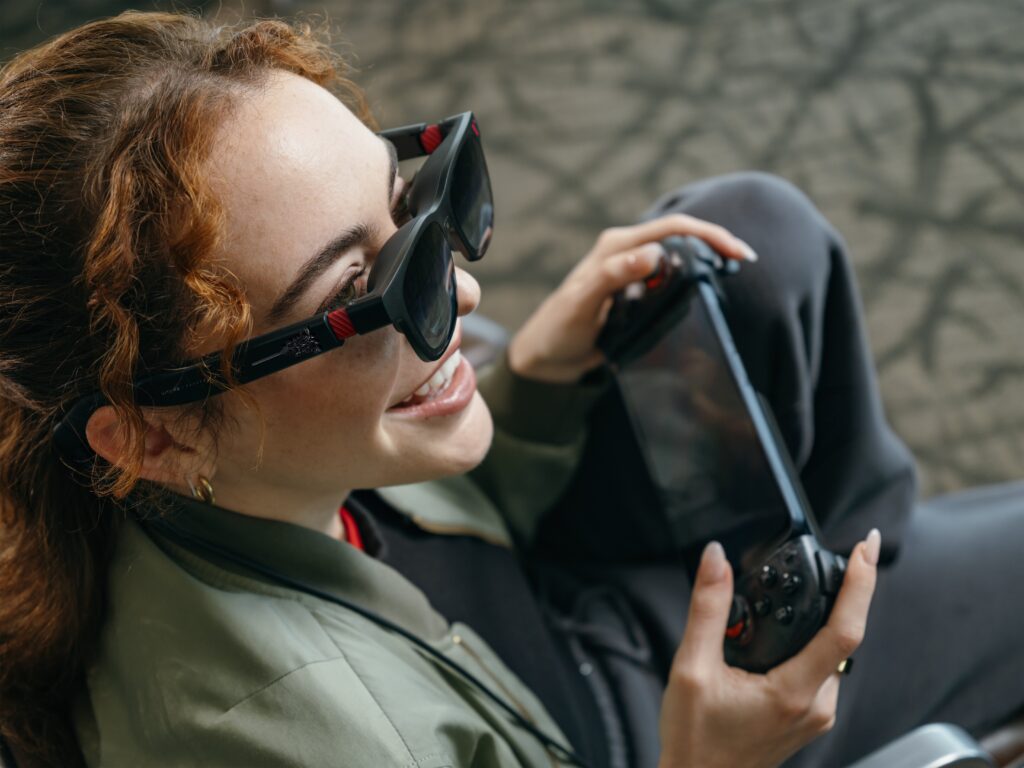
For my own setup, I used the Phantom Beast with my desktop PC while reclining in my chair and playing Phantom Blade Zero with a controller. Being able to play without positioning myself directly in front of a monitor is one of the more appealing reasons to consider XR glasses in the first place.
I can see this being particularly useful for people who spend most of their day sitting at a desk and would rather enjoy their games in a more relaxed position.
UltraWide, Side Mode, and 3D Support
The Phantom Beast also offers display modes that change how content appears rather than how the screen follows your head.
UltraWide Mode provides a 32:9 virtual layout, similar in proportion to placing two conventional 16:9 monitors side by side.
For productivity, this gives users additional horizontal workspace for multiple windows, reference material, or other applications. VITURE’s SpaceWalker software can extend these capabilities with supported devices.
For gaming, the benefit depends on whether the game supports ultrawide resolutions. Some PC games can take advantage of a wider aspect ratio, while others may display black bars or remain limited to their original format.
It is not a feature that automatically makes every game ultrawide.
Side Mode is another useful addition. Instead of occupying the center of your vision, it reduces the screen to a smaller area toward one side.
This allows users to keep content visible while leaving more room to see their surroundings. It is a practical option when you need to interact with something nearby without completely disconnecting the glasses.
The Phantom Beast also supports stereoscopic 3D content through Side-by-Side, or SBS, mode.
This works by sending slightly different images to each eye, creating the perception of depth. It is similar in principle to how 3D movies create a sense of objects appearing closer or farther away.
VITURE’s SpaceWalker software also offers Immersive 3D conversion for supported content, attempting to turn ordinary 2D video into a three-dimensional presentation.
However, this should not be confused with native 3D rendering in games. A game running in conventional 2D does not automatically become a fully immersive VR experience just because the glasses support stereoscopic content.
Playing Phantom Blade Zero With the Phantom Beast
The Phantom Beast is clearly designed to complement Phantom Blade Zero, but the glasses themselves are not limited to that game.
They can display content from any compatible device, whether you are playing another PC game, watching a movie, or using a desktop application.
During my time with the Phantom Beast, I used my desktop PC to play Phantom Blade Zero while reclining with a controller. I was able to continue playing and listening to the game while relaxing and not having to sit at certain angles, and I because I am not wearing my headphones, I can hear the game, and hear my wife talking to me.
The concept is particularly appealing for controller-based games where you do not need to keep your hands on a keyboard and mouse.
Phantom Blade Zero also makes sense as a showcase for the glasses because its combat and cinematic presentation can benefit from a large viewing area and the potential for smooth motion at higher refresh rates.
However, the Phantom Beast does not provide additional processing power. It does not render the game, improve graphics performance, or increase the frame rate. Those responsibilities remain with the connected PC or console. You may want to look at their VITURE Neckband, which I may look forward to buying and reviewing later on.
The glasses are best understood as a different way to view the game rather than a device that enhances the game’s underlying graphics.
Comfort, Audio, and Everyday Usability
As interesting as the display technology is, comfort will ultimately determine whether someone continues using the Phantom Beast after the initial excitement wears off.
XR glasses need to sit correctly on the user’s face because the optical system must align with their eyes. This is where the interchangeable nose pads and adjustable temples become important.
VITURE includes four nose pad sizes, allowing users to experiment with the fit. Finding the correct combination can make a noticeable difference in how much of the virtual display remains visible.

The standard Beast weighs 88 grams in its Regular configuration. The Phantom edition adds decorative components, so that measurement should not be treated as its verified exact weight. Though I don’t really notice it being too heavy on my face, but I don’t recommend wearing it too long.
Some users may need breaks sooner, while others may remain comfortable for longer. So mileage may vary, but recommendation would be four to five hours.
Electrochromic Lenses and Auto Transparency
One of the Phantom Beast’s more practical features is its nine-level electrochromic tint system.
Unlike ordinary sunglasses that maintain a fixed tint, electrochromic lenses can change their transparency electronically.
VITURE advertises a light transmission range between 0.5% and 40%, allowing users to darken the lenses to reduce interference from the surrounding environment or make them clearer when they need to see what is nearby.
In a bright room, environmental light can compete with the virtual display, making the image appear less prominent. Darkening the lenses reduces that interference and can make the image easier to see.
The system also includes Auto Transparency, which can make the lenses clearer when you look downward. For gaming, this is useful because it allows you to check your controller or keyboard without having to remove the glasses.
The technology does have limitations. Tinting reduces outside light, but it does not eliminate every reflection produced by the optical system.
It is also worth remembering that the darker settings reduce visibility of your surroundings, so users should select an appropriate tint for their environment.
Audio and Prescription Support
The Phantom Beast features integrated speakers using VITURE’s HARMAN AudioEFX technology.
The speakers are built into the temples, allowing audio to play near your ears without requiring conventional headphones.
For casual gaming or watching videos, this can be convenient because the glasses handle both the picture and sound. However, the open-ear design also means there is limited isolation from the surrounding environment.
Other people nearby may be able to hear some of the audio, and outside noise can interfere with your listening experience. Published testing of the standard Beast has also found that its speakers are adequate for casual use but less impressive than dedicated headphones.
For games where sound quality, dialogue clarity, or directional audio matters, headphones or earbuds remain a sensible option.
Prescription support is another consideration.Unlike some older VITURE glasses, the Phantom Beast does not include built-in diopter adjustment dials. These allow nearsighted users to change the optical focus without adding separate prescription lenses.
Instead, VITURE includes a prescription lens frame that can be fitted with corrective lenses. The Phantom Beast is also available only in the Regular size, supporting an interpupillary distance of approximately 58 to 70 mm.
The standard Beast is available in both Regular and Large configurations, making it a more flexible option for users who fall outside the Phantom edition’s supported range.
One other difference is worth mentioning. The regular Beast includes an integrated RGB camera intended for camera-dependent functions, while the Phantom Beast does not.
Although both models provide native 3DoF head tracking, the Phantom edition lacks the camera hardware needed for the standard Beast’s camera-related features. Buyers interested in those capabilities should keep this difference in mind.
Device Compatibility and Additional Costs
The Phantom Beast connects through a standard USB-C cable, which is an improvement over proprietary connectors used by some earlier XR glasses.
The port generally needs to support DisplayPort Alternate Mode, which allows video signals to pass through USB-C. Without that capability, the glasses will require an appropriate video adapter or dock.
Compatible handheld gaming PCs, such as the Steam Deck and ROG Ally, can connect directly through their video-capable USB-C ports.
Supported laptops, tablets, and smartphones can also use the glasses as external displays. Desktop PCs may require additional attention because many graphics cards and motherboard USB-C ports do not provide the necessary video output.
Console gaming can involve further accessories. PlayStation and Xbox systems generally output video through HDMI, so connecting them requires a suitable HDMI-to-USB-C solution or compatible dock.
Nintendo Switch and Switch 2 users can use supported VITURE docks or adapters to provide video output to the glasses.
VITURE’s Pro Mobile Dock is one option for HDMI devices. However, it has its own limitations, including a maximum 2D output resolution of 1920 x 1080 with the Beast series rather than the glasses’ full 1200p resolution.
The Mobile Dock Mini offers different capabilities for supported USB-C sources, including up to 1200p at 120Hz, but it does not provide the same HDMI connectivity as the Pro Mobile Dock.
The glasses also lack an internal battery and draw power from the connected device or an appropriate powered accessory. For handheld gaming, this can affect battery life. Anyone planning extended sessions may want a charging adapter or dock that supports simultaneous charging and video output.
Is the VITURE Phantom Beast Worth $599?
At $599, the Phantom Beast is clearly aimed at enthusiasts rather than someone looking for an inexpensive replacement for a monitor. Do consider if you be using it often, and if you travel a lot of want to game on a bigger virtual display this may be worth looking into.
Its biggest strengths come from the combination of its display technology and the flexibility of having a large virtual screen that can be positioned according to how you want to use it.
The Sony Micro-OLED panels, 1200p resolution per eye, 120Hz refresh rate, and wide 58-degree field of view make it a compelling display option for gaming and entertainment.
The built-in head tracking, adjustable virtual screen, electrochromic tinting, and multiple viewing modes also help distinguish it from a conventional portable monitor.
These features have practical uses, particularly for gamers who travel, use handheld PCs, or want to play from a more comfortable position without rearranging their existing setup.However, the Phantom Beast is not without compromises.
The optical system can introduce softness and color fringing toward the edges, making it less ideal for text-heavy tasks. Proper fit is essential, and users who require prescription lenses need additional considerations.
Console compatibility may also involve purchasing a separate adapter or dock, while the lack of an internal battery means the glasses remain dependent on another device.
There is also the matter of the Phantom Beast’s price compared with the standard Beast. At $549, the regular Beast offers essentially the same core viewing experience for $50 less. It also includes an RGB camera and is available in two sizes.
The Phantom Beast trades those advantages for its exclusive design and collector’s accessories.
For someone who enjoys Phantom Blade Zero and is already interested in XR glasses, the additional $50 may be easy to justify. The custom artwork, themed software, and scabbard-style case give it more personality than the standard model.
For someone who only cares about display performance, the regular Beast is the better value. What interests me most about the Phantom Beast is not necessarily its collector’s edition appearance, but the idea of using a wearable display as an alternative to a conventional monitor.
Being able to play Phantom Blade Zero on my desktop PC while reclining with a controller shows how this technology can change the way people use their existing gaming hardware.
It does not replace the performance of the PC, nor does it make the game look better than the underlying display hardware allows. Instead, it provides another way to enjoy the same experience without being restricted to a particular seating position.